
MEVO Enterprise
Rapidly deploy and easily manage distributed networks.
Today, many companies are adopting a remote work option for their workforces. This option is influenced by advances in technology, an increasing concern for the environment, higher transportation costs, real estate expense, and the need for business continuity. Remote work is widely understood to provide companies with improved productivity and lower overhead costs for such items as real estate, utilities, and maintenance.
It is vital for IT departments to be able to deploy and manage a teleworking solution that provides remote workers and branch offices with consistent, secure access to the company’s network.
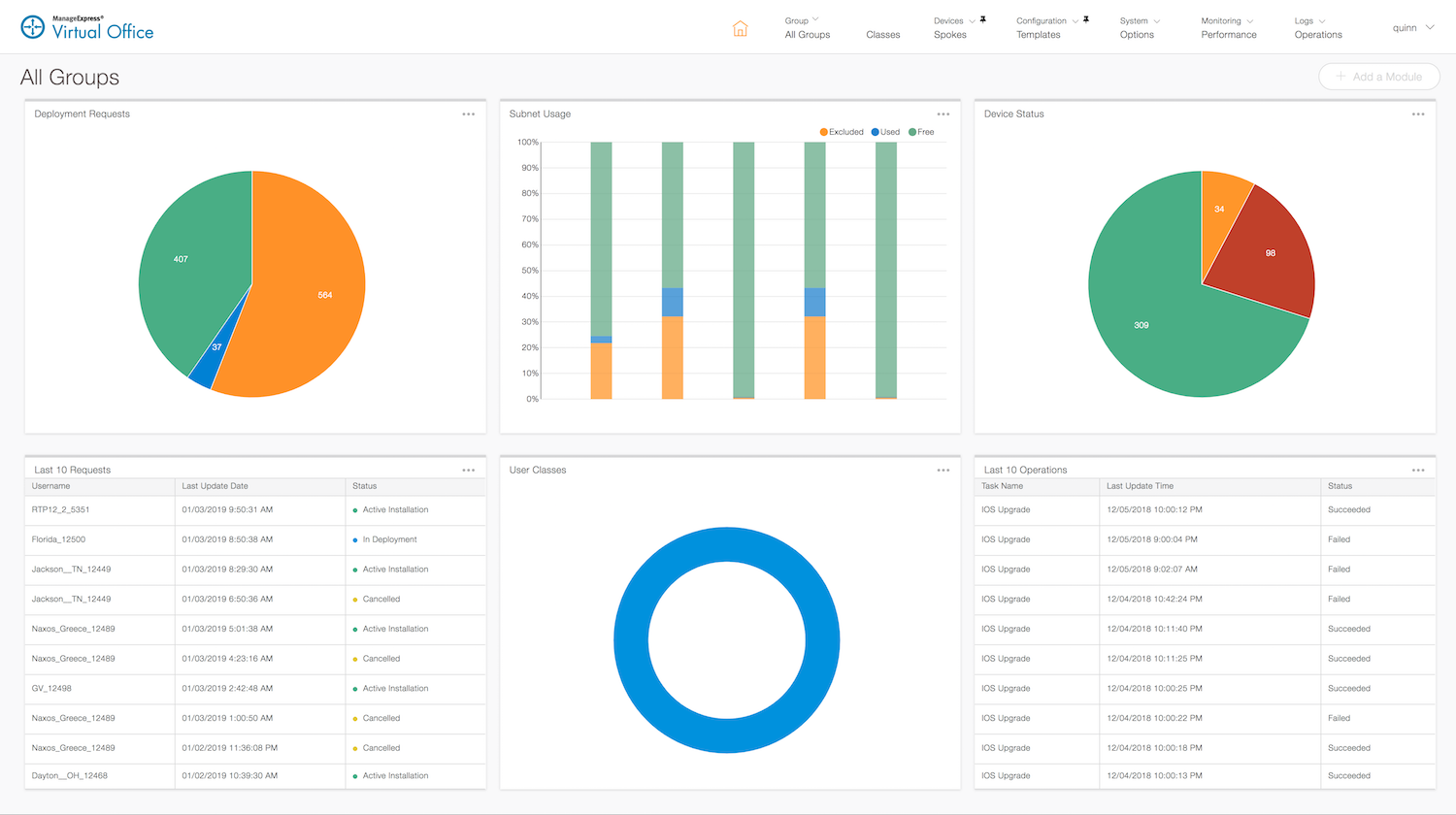
ManageExpress Virtual Office (MEVO) is an operations automation and management tool that allows you to set up and deliver the Cisco Virtual Office (CVO) solution. The MEVO tool enables seamless delivery of secure network services using Cisco virtual operations by managing spokes, headends, and infrastructure devices from a single user interface. MEVO provides multiple role-based user experiences. The Administrative Portal enables the management of all aspects of service delivery and the Employee Portal enables signup and basic self-management of requested services.
-
![]()
DMVPN Tunnel Status Monitoring
-
![]()
Performance Monitoring
-
![]()
Configuration Auditing
-
![]()
Text goes here
-
![]()
Text goes here


Key Features and Benefits
-
Zero Touch Deployment
Secure provisioning with a username and password.
Open a web browser, authenticate, and choose your config. A certificate request is then pre-authorized and the configuration is pushed automatically.
-
Templates
Templatized configs with variables and operators.
A series of templates are used at the time of provisioning to automatically build the preferred configuration based on class of device.
-
Network Address Management
Built-in subnet and device IP address management.
Input an uber net, MEVO will allocate a super net which can be further sub-divided into subnets for a specific device. Add or release IP’s any time.
-
Configuration Management
Day 2 configuration changes & image updates.
Audit devices to find configuration issues. Software updates and configuration changes can be made on demand.
-
Authentication
Support for various mechanisms.
Users can authenticate into the system using AD, one-time accounts, local accounts, OTP, or CAC/PIV.
-
Role-Based Access Control
Limit access based on the type of user and role.
Different MEVO admin roles provide provisioning-only views, day 2 management, or read-only access.
Product Support
-
• Catalyst 8300 Series
• Catalyst 8200 Series (new)
• Catalyst 8200 Series Edge uCPE Series (new)
• ISR 4000 Series
• ISR 1000 Series -
• ASR 900 Series
• ASR 1000 Series -
• Catalyst IR1100 Rugged
• Catalyst IR1800 Rugged
• Catalyst IR8100 Heavy Duty
• Catalyst IR8300 Rugged -
• IOS XRv 9000
• Catalyst 8000V
• CSR 1000V
• Catalyst 8500 Series -
• Catalyst 2900 Series Switches
• Catalyst 3500 Series Switches
• Catalyst 3600 Series Switches
• Catalyst 3700 Series Switches
• Catalyst 3800 Series Switches
• Catalyst 6300 Series Switches
• Catalyst 9300 Series Switches
• Catalyst 9400 Series Switches
• ESS-2020-NCP Switches -
• Identity Services Engine
• Cisco Secure Firewall ASA Virtual
• ASA 5500-X Series Firewalls
• ASA 5500-X with FirePOWER Services -
• Cisco Unified Communication Manager
-
• DTECH
• Klas
• Pacstar -
• SteelHead
-
Elliptical Curve Support
• Microsoft
• ISC
• PrimeKey
RSA Support
• Microsoft
• Cisco -
• InfoBlox
